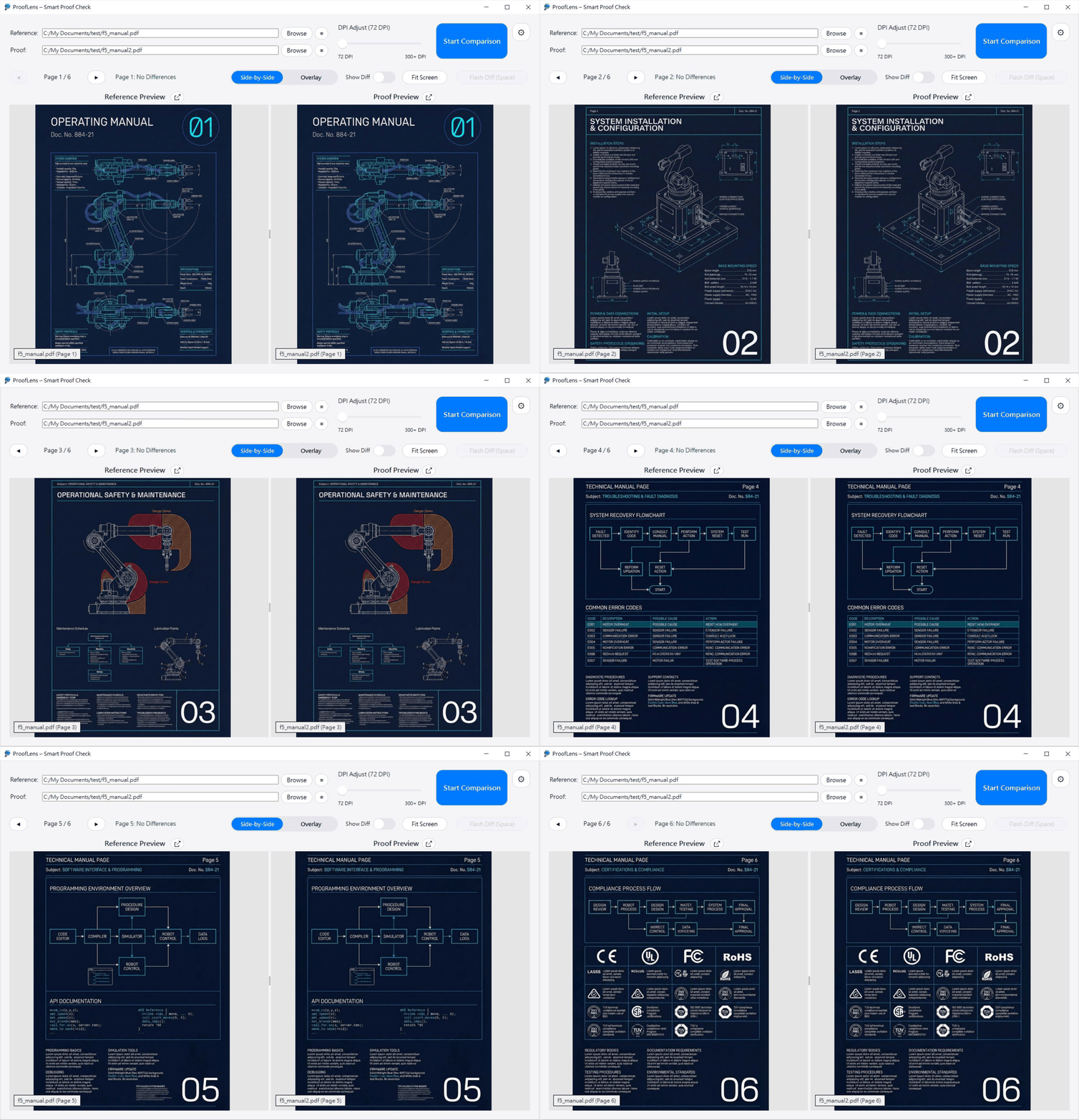
The automated proofreading tool for packaging and manuals. Detect "silent updates" and vendor file shifts in seconds.
Manual proofreading is slow, exhausting, and prone to "change blindness".
Client sent a "Final_v2" but didn't mention they changed a regulatory icon? If you miss it, you pay for the reprint.
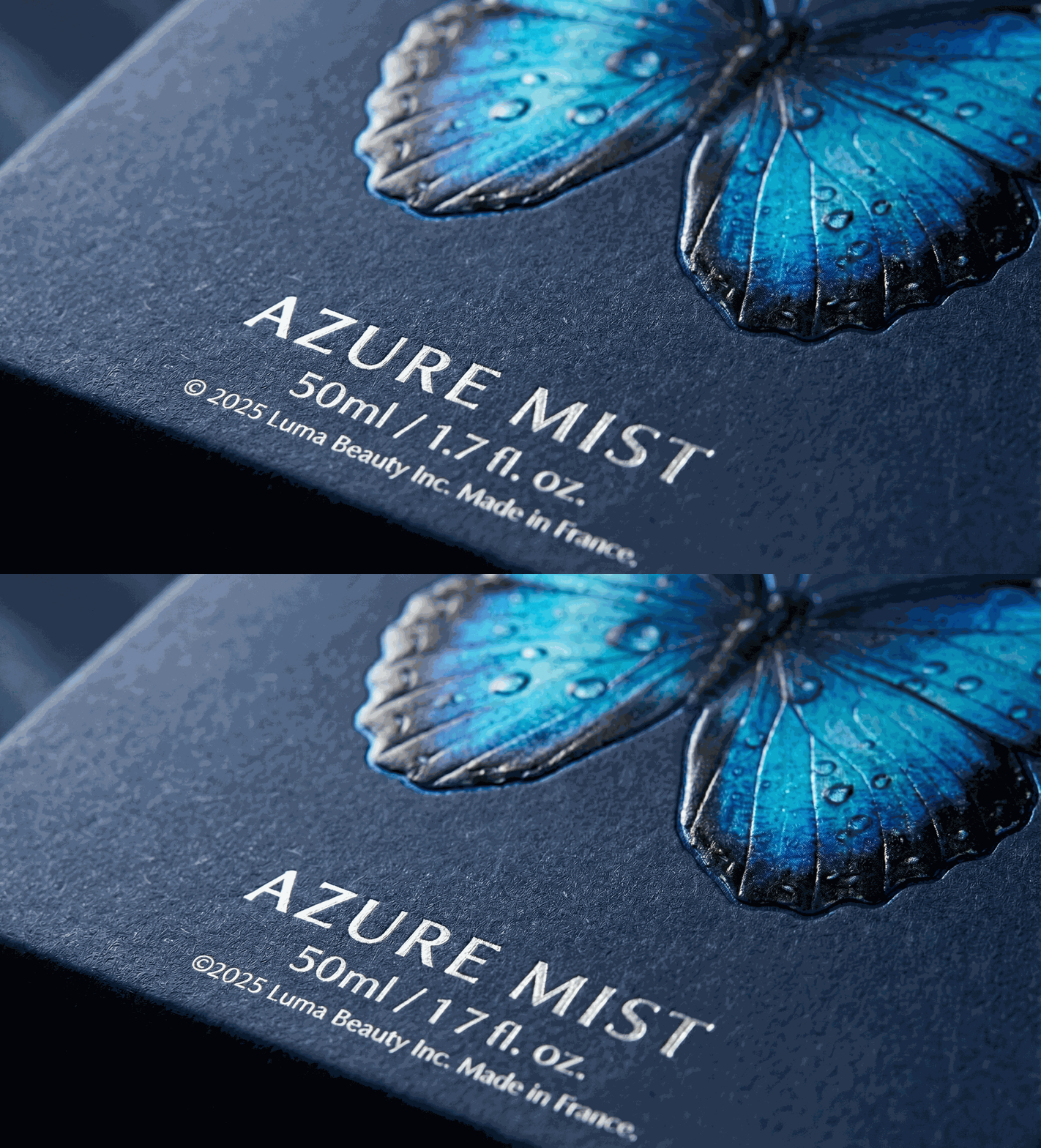
You sent a perfect PDF, but the print vendor's software shifted the layout by 1mm. It looks fine at a glance, but ProofLens spots the wiggle.
Is "Pack_v3_Final.pdf" actually the same as "Pack_v3_Print.ai"? Don't guess. Verify it in 5 seconds.
Vendor's software shifted your layout by 1mm? Something disappeared during conversion? Side-by-side comparison often misses these subtle disasters.
Plus, if the vendor file includes crop marks or color bars, ProofLens automatically ignores them. Our Smart Auto-Align engine snaps the content together instantly, so you can check the actual design without manual cropping.
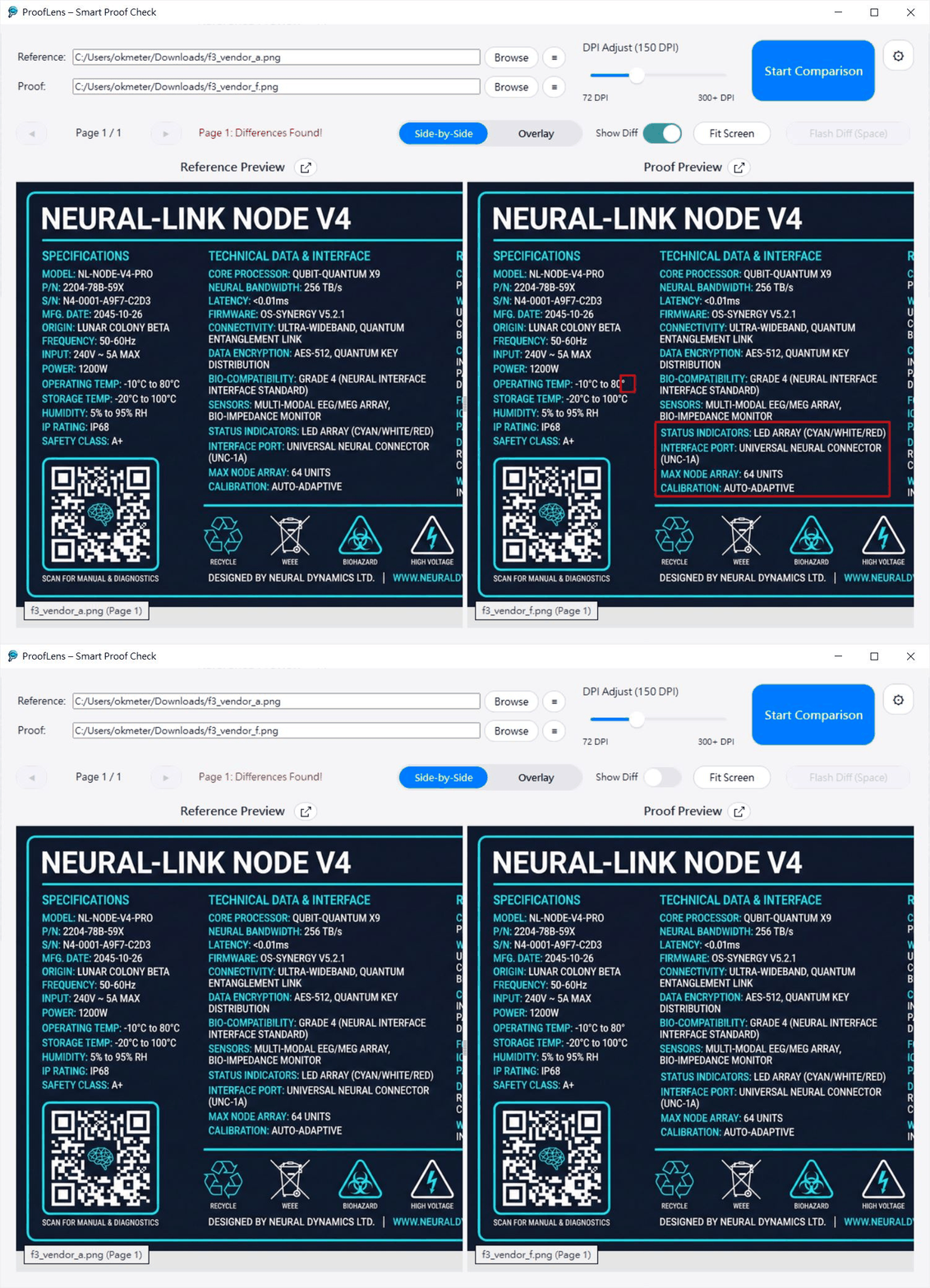
For files with matching resolutions, the Side-by-Side mode acts as your first line of defense. It scans the document and marks discrepancies with Red Boxes.
💡 Pro Tip: Vendor changed the dielines or resolution? If Red Boxes cover the screen, simply switch to Overlay Mode. Our Strobe technology helps to ignore dieline shifts and focuses on the content.
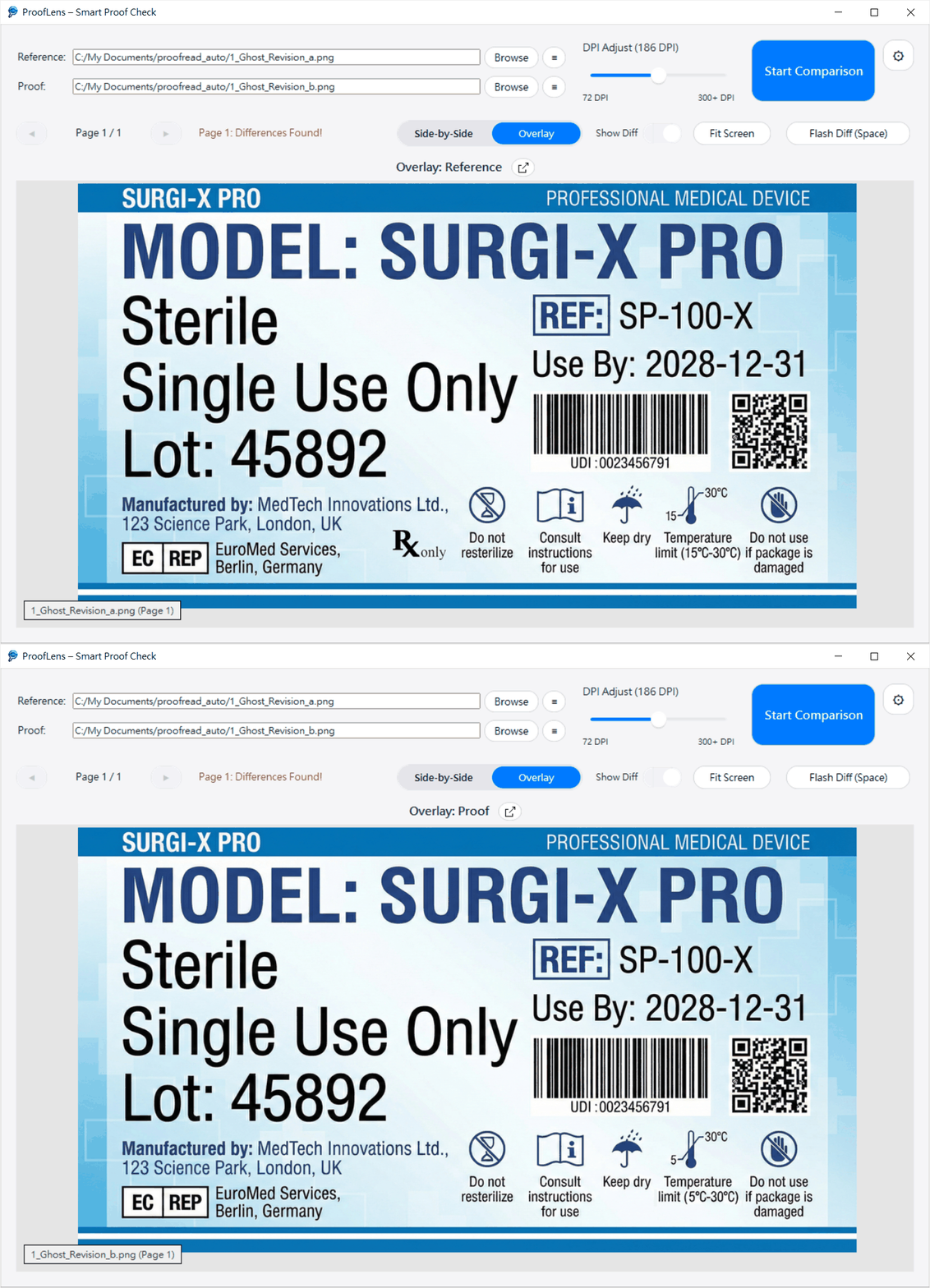
Clients often send "Final_v2" without mentioning they secretly deleted a regulatory icon or changed the text.
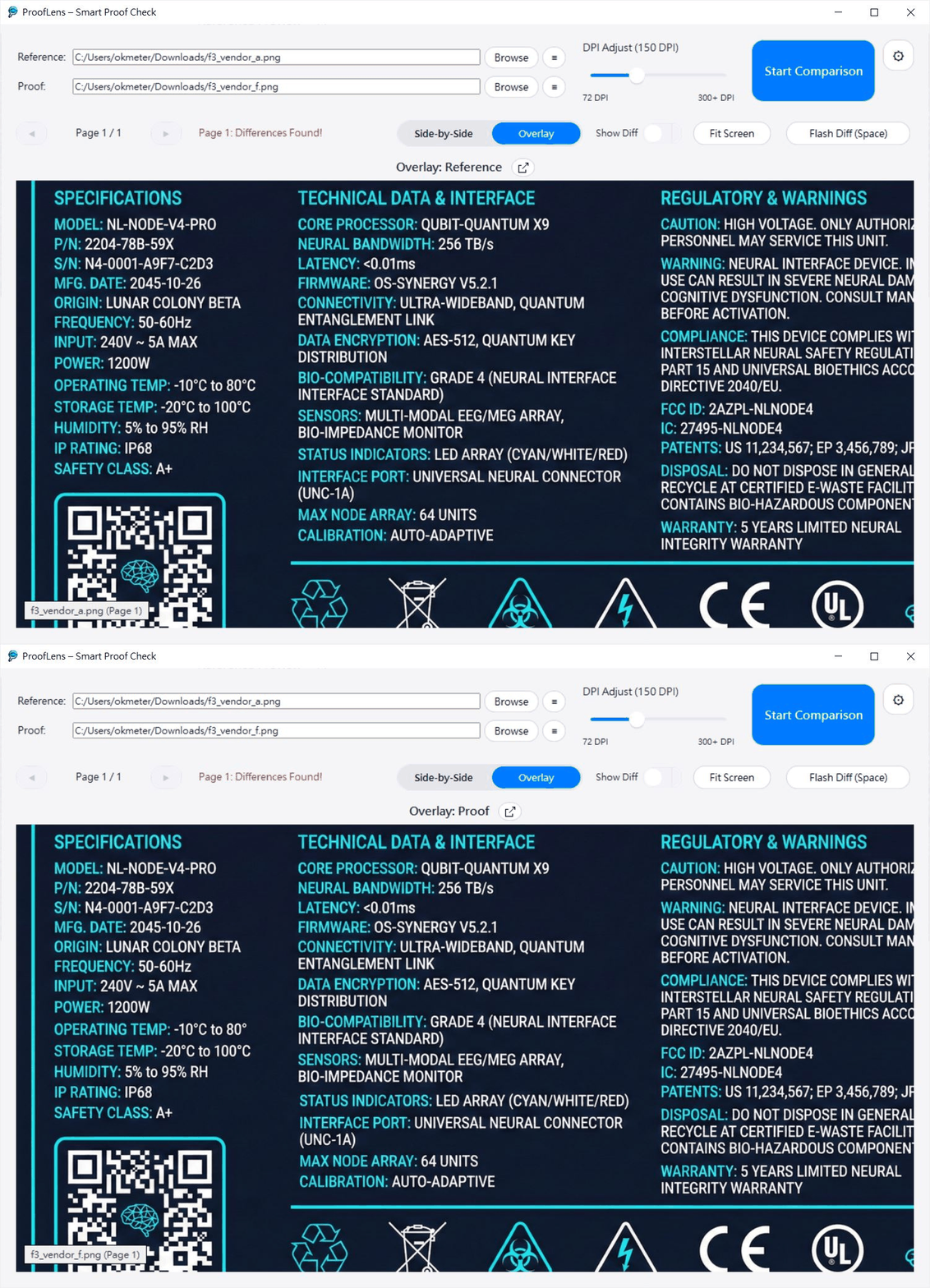
ProofLens overlays the new file on the old one. Hold Space to make that missing icon flash violently.
Working on NDA projects for Apple, FDA medical devices, or unreleased prototypes? You can't risk uploading files to a cloud comparison tool.
ProofLens is a standalone desktop app. Your files are processed in your RAM and never leave your machine.
Have a 50-page user manual or a series of packaging SKUs? Don't open them one by one.
ProofLens supports Multi-page PDFs and Batch List management. Load the entire document, auto-sort the pages, and glide through them with the "Next Page" shortcut.
Drag & Drop your Reference (Original) and Proof (New Version) files directly into the app.
Click "Start Comparing" and let ProofLens show you side-by-side versions and mark the differences.
Overlay mode: Hold Spacebar to Flash-Diff. Watch errors blink and fix them before they go to print.
*EPS support requires Ghostscript installation.
ProofLens is currently exclusive to Windows. We are focusing on delivering the best possible experience on this platform first.
Mac Users: We don't have a Mac version yet. If there is significant demand, we will consider developing it. Feel free to let us know!
I am a Graphic Designer and Packaging Specialist. For years, I manually aligned PDF windows to catch dropped text or layout shifts in vendor proofs. It worked 99% of the time—as long as I had the patience to line everything up perfectly.
So the problem wasn't accuracy—it was time.
Spending minutes just to manually align a file is a waste of life. Especially when you have a batch of 20 files to check before a deadline.
ProofLens was born from my own daily workflow. I designed it to handle the tedious technical parts (auto-alignment, scaling, batching) so I could get straight to the important part: verifying the design.
It’s the tool I wish I had 10 years ago. Now, I’m hoping it can also help you save time.
Pay once, use forever. No monthly subscriptions.
For Solo Designers
For Agencies & QA Depts
30-Day Money-Back Guarantee. If it doesn't save you time, get a refund.
I want you to be happy with this tool, so let’s manage expectations. I am a solo developer building this for real-world use:
ProofLens looks at the visual output (like a digital light table). It does not do OCR, spell-checking, or extract text. If it looks different, it marks it.
To compare PDFs or AI files, the app converts them into high-resolution images. While optimized for 300+ DPI, extremely large or complex vector files might take a moment to load.
This version is strictly for Windows 10 / 11.
Automated detection (Red Boxes) can sometimes have false positives (due to anti-aliasing) or miss extremely faint changes. Always use the "Strobe Mode" (Spacebar) for your final human check.
ProofLens uses the same fast rendering engine as Google Chrome (PDFium). While effective for most files, complex print PDFs (e.g., containing heavy CMYK layers, spot colors, or transparent shadows) may show slight visual differences compared to Adobe Acrobat. Please use this as a content check tool, not a color proofing tool.
This tool is an assistant to aid your workflow, not a replacement for your professional approval. ProofLens cannot be held responsible for printing costs or errors that are missed. You are the final gatekeeper.